

Odoo Helper for PyCharm
Odoo Helper for PyCharm (Cybrosys Assista: Odoo Helper) adds Odoo module and file generators, snippets, smart suggestions and code inspection to PyCharm. Install it from the JetBrains Marketplace.
The plugin is free, and published by Cybrosys Technologies, an Odoo Official Partner. See also the product page and the source on GitHub.
Using Assista IDE?
Assista IDE is a standalone Odoo editor and does not need this plugin. See Assista IDE. If you prefer VS Code, see Odoo Helper for VS Code.
Quick facts
- Cost: free to install from the JetBrains Marketplace.
- Provides: Odoo code templates (Python, XML and OWL boilerplate from a keyword), and snippets and scaffolding that follow Odoo conventions.
- Works with Assista: it pairs with Assista IDE, or you can use it on its own in your existing editor setup.
- Not the IDE: the plugin is separate from Assista IDE, which includes Assista Coder, one-click environments and the other IDE features.
- Prefer VS Code? See Odoo Helper for VS Code.
What you can do
Create code
| Feature | What it does | Guide |
|---|---|---|
| Module templates | Scaffold a Basic, Advanced, OWL Basic, OWL Advanced, Theme or Systray module from the project view. | Module templates |
| File creator | Generate Odoo Python, XML and CSV files from templates and register them in __init__.py and __manifest__.py. | File creator |
| OWL and POS generators | Create OWL widgets and services, and extend Point of Sale screens. | Quick start |
| Snippets | Type odoo in a Python or XML file to insert fields, decorators, methods, views, buttons and menus. | Snippets |
Get help while you type
| Feature | What it does | Guide |
|---|---|---|
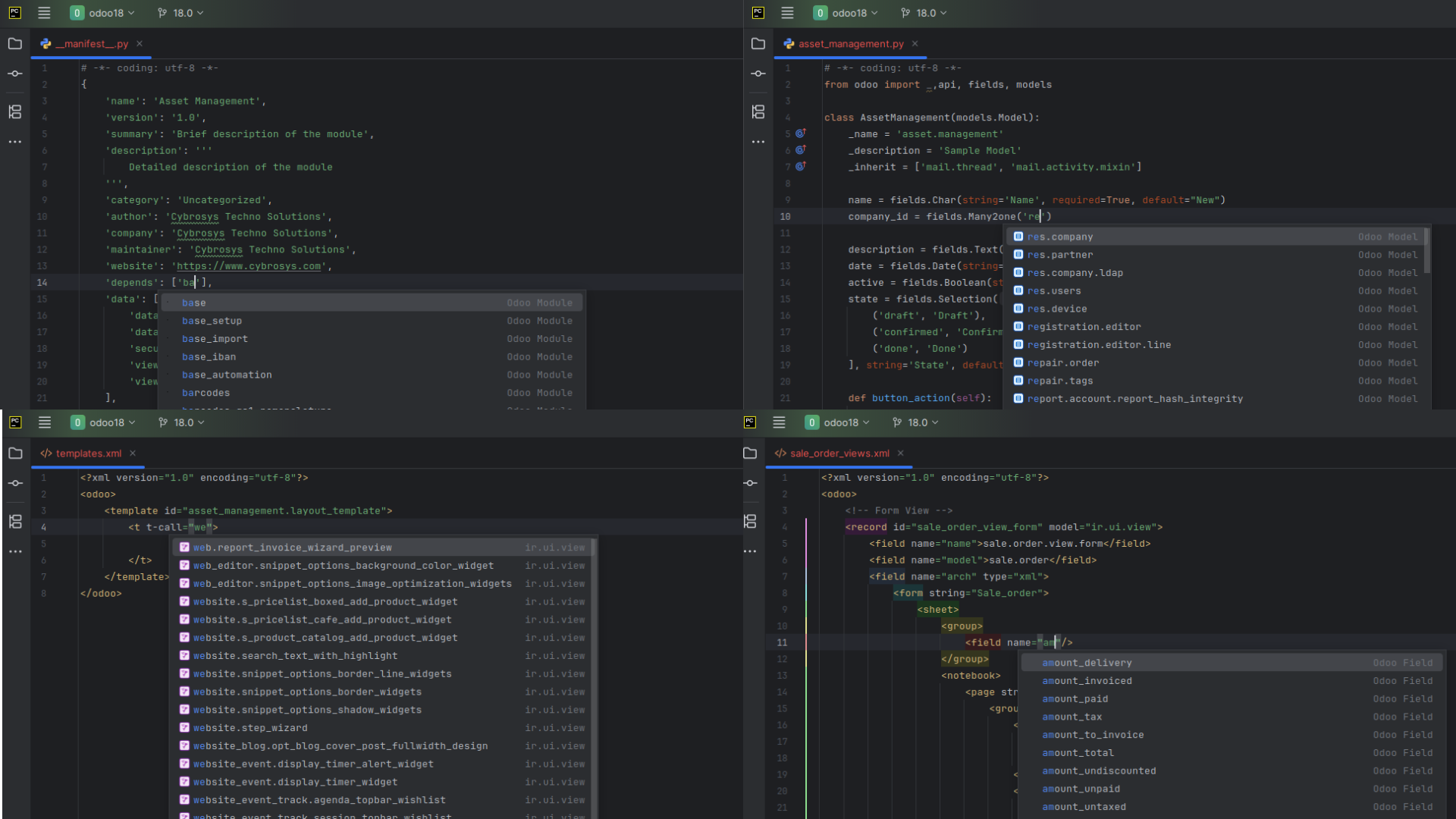
| Smart suggestions | Complete model names, field names, template names, widgets, CSS classes and manifest dependencies. | Smart suggestions |
| Code inspection | Highlight departures from Odoo conventions in Python, XML and CSV files, with quick fixes for some of them. | Code inspection |
Keep your project tidy
- Automatic registration. New model and controller files are imported in
__init__.py. New view files are added to thedatakey of__manifest__.py. - Context-aware creation. Module templates are offered only in valid addons folders. Python and XML templates are offered only in the folders that suit them, such as
models/andviews/. - Keyboard shortcuts. Every module and file generator has a shortcut you can change in Settings > Keymap.
Get started
- Install the plugin.
- Follow the Quick start to create your first module.
Tips and limits
- All generators live in the project view context menu under Odoo Developer Tools. Right-click a folder to open it.
- Menu names in this guide follow the plugin screenshots and documentation. If an item looks different in your PyCharm, open Settings > Keymap > Plugins > Cybrosys Assista: Odoo Helper to see the action names.
- Generated code is a starting point. Check it against the Odoo version you target.