

Assista X
Assista X is an AI chat assistant for your Odoo data: your business companion for Odoo. Ask a question in plain language and get an answer, a table, a chart or a report. You do not use menus or filters. Website: x.cybrosys.com.
Assista X runs as its own product with its own accounts. Your Assista IDE and EasyInstance accounts do not carry over.
What you can do
| Feature | What it does |
|---|---|
| Conversational querying | Search, group and retrieve Odoo records by asking questions, then follow up in the same chat |
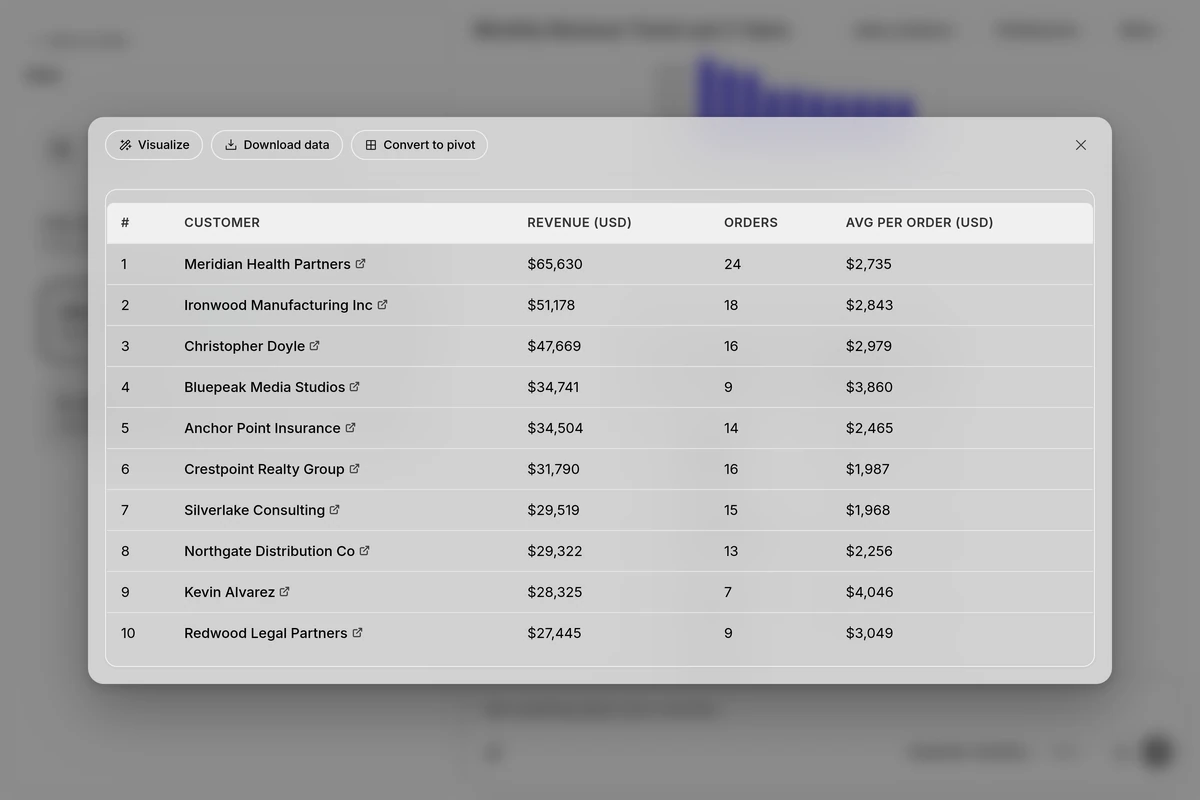
| Interactive tables and charts | Expand a table, export it, turn it into a pivot or a chart, change chart types and colors, and add trend lines |
| Cross-module analysis | Trace causes across Sales, Accounting and Inventory in one conversation |
| Reports | Ask for a report and get a formatted document you can style and download |
| Custom addons sync | Scan and index your custom modules so Assista X can answer questions about them |
| Floating chat and Telegram | Keep the chat on top while you work in Odoo, or message it from Telegram |
| Voice | Dictate a question, or hold a hands-free spoken conversation |
| Google integration | Let the assistant list and draft emails and read your calendar |
| Chats and sharing | Keep, search, pin and share your conversations, and switch between Odoo servers |
Who it is for
Assista X is for the people who use Odoo, not only for administrators. Each role has its own questions.
| Role | Example questions |
|---|---|
| Sales Manager | Which deals have not moved in two weeks? Who are my top customers by revenue this quarter? What does my pipeline look like by stage? |
| HR Manager | Who is on leave this week? Show pending leave requests by department. Which employees have unsubmitted timesheets? |
| Accountant | Show overdue invoices past 30 days. What is the total outstanding receivables? Which vendor bills are due this week? |
| Warehouse Manager | Which products are below reorder point? What is the stock value by location? Which items have had no movement in 60 days? |
| Purchase Manager | Which purchase orders are past their delivery date? Who are the top vendors by spend this month? Which RFQs are pending? |
| Project Manager | Which tasks are overdue this week? How many hours are logged per project? Which projects have no activity in seven days? |
See Ask questions for more examples by module.
Get started
- Sign in at x.cybrosys.com with Continue with Google.
- Answer the short setup questions. You can connect Odoo there or skip it.
- Set up an AI provider with your own API key.
- Connect your Odoo server with your regular Odoo login and instance URL. You do not need admin access.
- Ask your first question.
The full walk-through is in Get started.
Requirements
| Item | Requirement |
|---|---|
| Odoo version | Odoo 16 and later, in Community and Enterprise editions. To check your version, see Settings > About in Odoo |
| Odoo access | Your regular Odoo login (database, username and password) and the URL of your instance. Admin access is not required |
| Odoo address | A public http:// or https:// address. See Connect your Odoo server |
| AI provider | An API key for OpenAI, Anthropic or OpenRouter. See AI providers |
| Account | A Google account to sign in |
| Browser | A current web browser. Voice input needs a browser that supports speech recognition |
Permissions and data handling
- Assista X signs in with your own Odoo credentials. Your access rights and record rules apply to every answer. If you cannot see a record in Odoo, Assista X cannot see it either.
- Connections are read-only by default. Write access is opt-in, and limited to what your own Odoo permissions allow.
- Assista X queries your Odoo server live. It does not sync or keep a copy of your Odoo database.
- To answer a question, only the relevant data is sent to the AI provider you configure, using your own API key. Your Odoo data is not used to train models.
- Your Odoo connection details and API keys are stored encrypted. Your conversation history is saved to your account.
See Security and privacy for the full picture.
Plans and pricing
Assista X is sold as plans. Rates and plan limits are on the pricing page. See Plans and billing for how plans work.
FAQ
Do I need to be an Odoo admin? No. You need your regular Odoo login and your instance URL. No admin access or IT setup is needed on the Odoo side.
Will Assista X see all my company's Odoo data? No. It uses your own Odoo credentials, so it only sees what you already have permission to see.
Can it change my Odoo data, or only read it? By default it is read-only. If write access is enabled, it can create or update records, always limited to what your own Odoo permissions allow.
Does it work with my version of Odoo? Assista X supports Odoo 16 and later, in Community and Enterprise editions. Check Settings > About in Odoo to confirm your version.
Where does my Odoo data go? Assista X queries your Odoo server live. It never syncs or keeps a separate copy of your Odoo database. To answer you, only the relevant data is sent to the AI provider you configure (such as OpenAI or Anthropic) using your own API key. Your conversation history is saved to your account.
More answers are in the full FAQ.
Tutorials
The product has its own tutorials at x.cybrosys.com/tutorials. They cover:
- Interactive tables, chart enrichment and data visualization.
- Understanding Analytic mode.
- How to set up your AI provider and how to connect your Odoo server.
- Topic guides for CRM, Accounting, Inventory, HR and Payroll, and Purchase.
- KPI dashboards and PDF report export.
Learn more
- Get started
- Connect your Odoo server
- AI providers
- Ask questions
- Tables and charts
- Reports
- Custom addons sync
- Floating chat and Telegram
- Voice
- Google integration
- Chats and sharing
- Plans and billing
- Security and privacy
- Troubleshooting
- FAQ
Get help
See Support.