

EasyInstance
EasyInstance is managed Odoo hosting. You get a production-ready Odoo instance in under a minute, with security, backups and monitoring handled for you, so you do not need server or DevOps knowledge. Website: easyinstance.com.
EasyInstance runs as its own product with its own account. Your Assista IDE and Assista X accounts do not carry over.
What you get
| Feature | What it does |
|---|---|
| One-click deploy | A running Odoo instance and a working URL in under 60 seconds |
| GitHub addon sync | Your custom modules update on every push, with rollback and preview instances |
| Backups | Hourly, daily or weekly encrypted snapshots, with one-click restore |
| Browser terminal | A safe shell into your instance, with no SSH keys |
| Custom domains | Your own domain with automatic SSL |
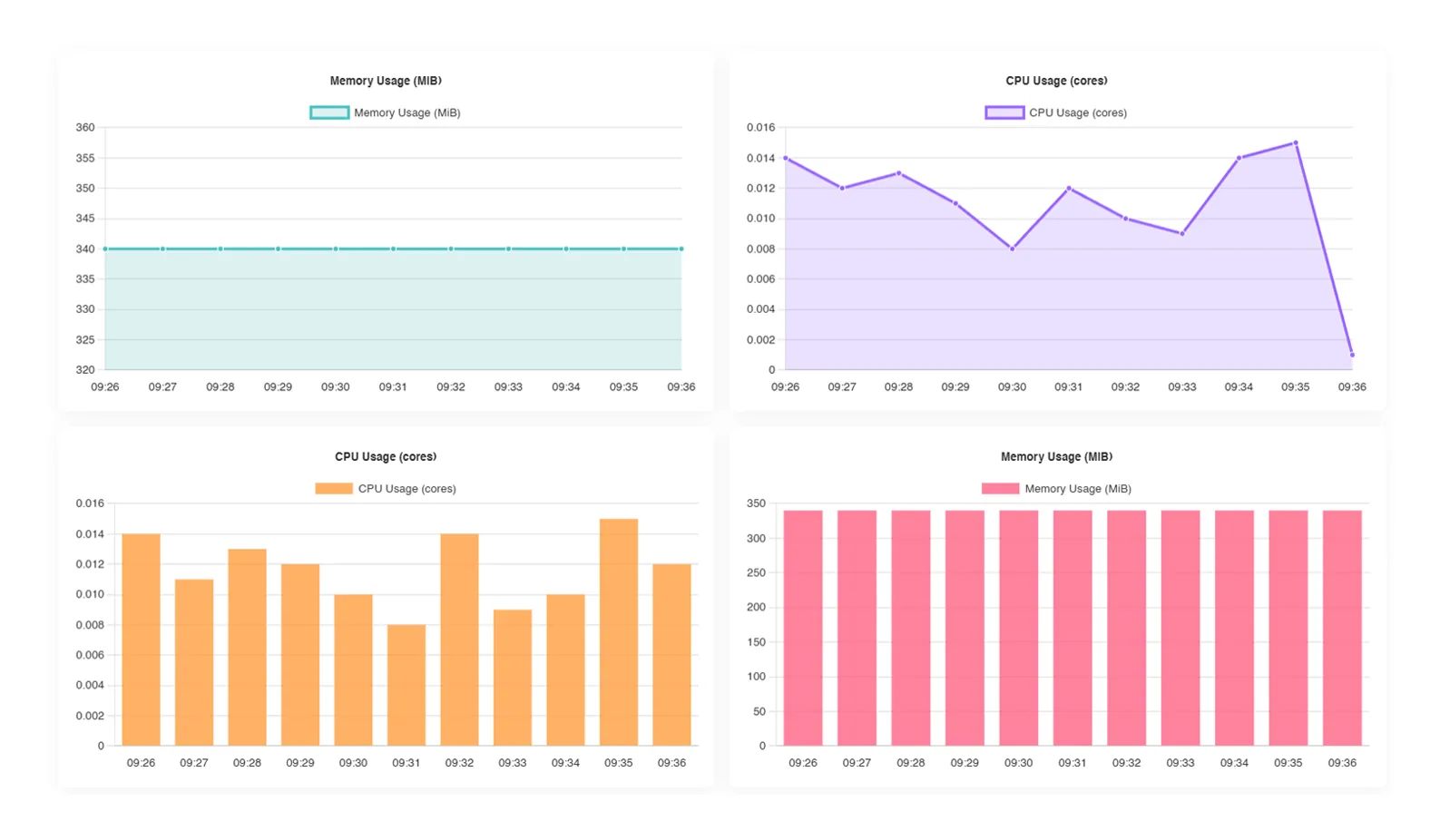
| Live metrics | CPU, memory, processes and storage, live or over the last 7 days |
| Marketplace and packages | Install Odoo modules and Python packages from the console |
| Insy AI assistant | Ask questions, print reports and build dashboards in plain language |
Deploy in under a minute
Choose an Odoo version and deploy. EasyInstance sets up the instance with SSL, daily backups and security patches switched on from the start. See How to create an instance.
- Pick any Odoo version from 16 to the latest release.
- The instance is ready to use with no setup steps and no waiting for a slow first start.
- Start, stop or restart an instance from the dashboard.
Add your own modules from GitHub
Connect your GitHub account and your custom modules appear in Odoo automatically.
- Push to deploy. EasyInstance pulls your modules folder on every push to
mainand restarts Odoo for you. No manual uploads. - Test before you go live. Every change can get its own private test instance, and pull requests get preview instances. Check the change first, then publish.
- Roll back. If you make a mistake, switch back to an older version immediately with nothing lost.
- Your code stays private. EasyInstance connects securely to your private repository and does not store your code on its servers.
- Collaborate. Add teammates as Git collaborators so they can push code and manage branches.
See Add custom modules and Add Git collaborators.
Monitor your instances
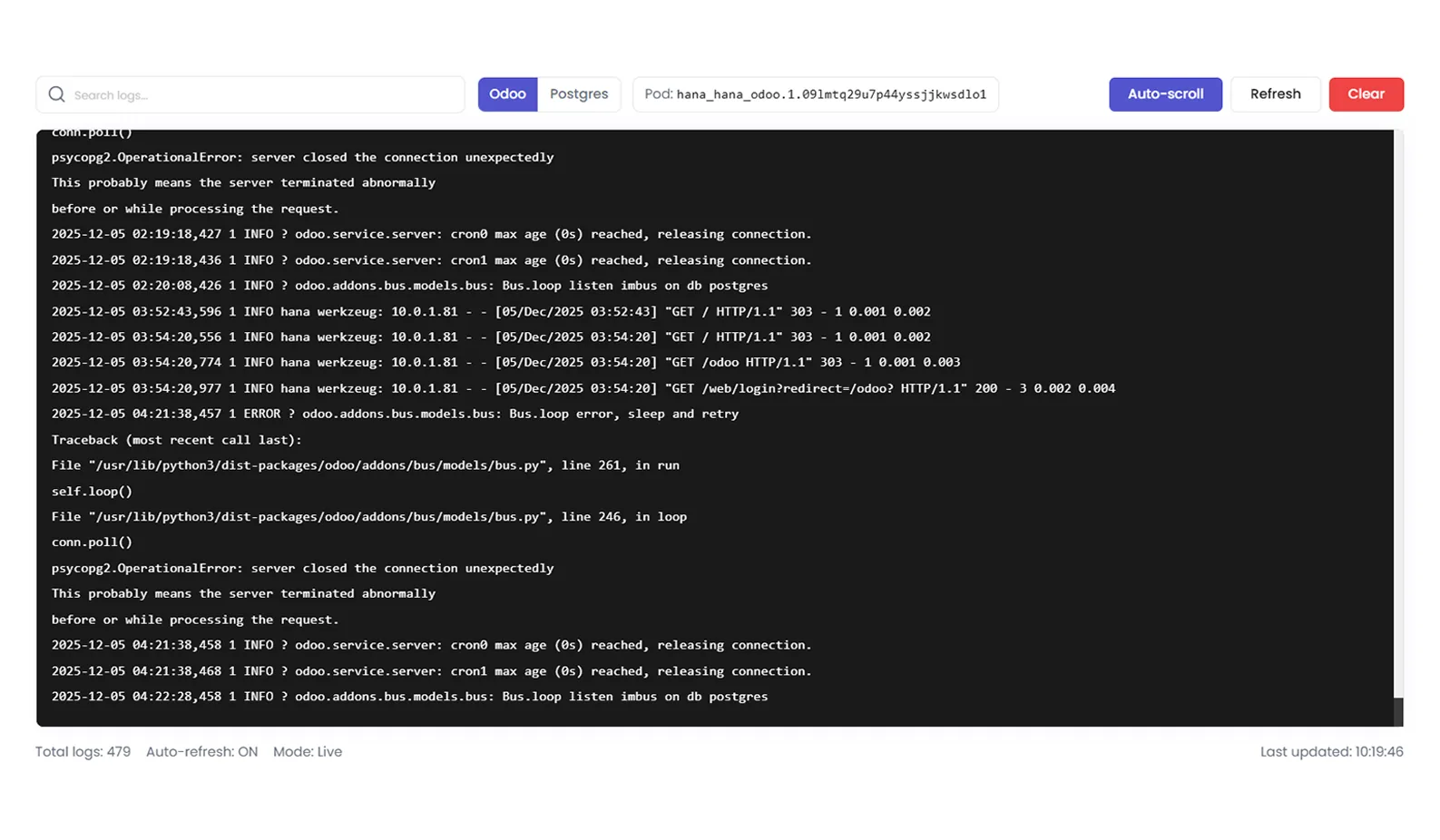
The dashboard shows CPU, memory, processes and storage for each instance, and keeps activity and system logs in one place. See Monitor performance.
Use the system logs to follow events, track changes and troubleshoot problems.
Protect your data
EasyInstance takes encrypted backups on a schedule you choose, and you can restore them into a new instance or over production. You can also send backups to your own storage:
See Backups for schedules, retention and restore.
Integrations
Each integration is set up from the EasyInstance console with nothing to code. Most take under two minutes.
| Type | Integrations |
|---|---|
| Code | GitHub, with auto-sync on every push and preview deploys for pull requests. Use deploy keys or OAuth |
| Storage | Google Drive, Nextcloud, Amazon S3 (or any S3-compatible endpoint) and Microsoft OneDrive |
| AI | OpenAI, OpenRouter and Google Gemini, which power Insy |
Plans and billing
You manage plans and billing from the same dashboard. You view, filter and update your subscription records without switching pages.
- Free trial: every new account gets a 10-day trial with 0.5 vCPU, 1 GB of RAM and 5 GB of storage. No credit card is needed, and you can cancel at any time.
- Pay for what you use: billing is per worker and per GB of storage, with no fixed tiers and no per-user fees. Add workers and storage as you grow, and billing adjusts automatically.
- Larger needs: for dedicated infrastructure, a custom SLA or multi-instance discounts, contact the sales team from the pricing page.
Current rates are on the pricing page.
Get started
- Go to easyinstance.com and select Start free trial.
- Create an instance.
- Connect GitHub, set up a backup and add your domain.
For questions, see Support.