

Assista IDE
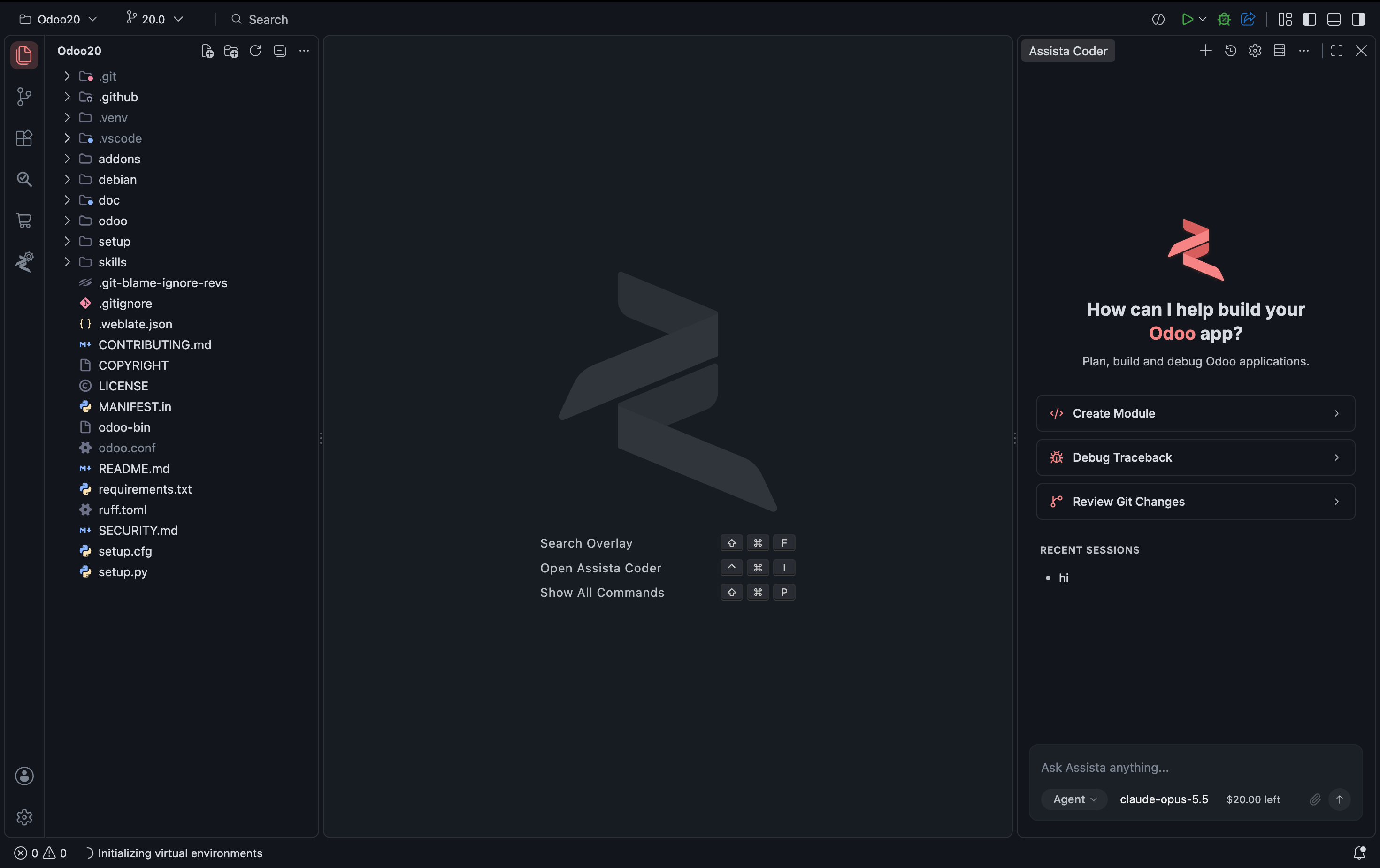
Assista IDE is a standalone IDE for Odoo. It combines an AI coding agent that knows Odoo's framework with the tools you use to set up, build, review and share Odoo projects, so you spend less time on setup and boilerplate.
Assista IDE works with Odoo 11 to 20. Features that come from the bundled Odoo Helper, such as snippets and file generators, support Odoo 18, 19 and 20.
Platforms and cost
| Platform | Requirement |
|---|---|
| Windows | Windows 10 or later, 64-bit (x64) |
| macOS | macOS 12 or later, Apple Silicon (arm64). There is no Intel build |
| Linux | Ubuntu 20.04 or later, through the Snap Store |
The IDE is free to download. What costs money is AI usage, which is prepaid as credit, with no plan tiers and no per-seat licence. You do not need your own AI provider key, but you can add one in Settings. See Pricing and credits.
What you can do
- Ask Assista Coder to write and explain Odoo code. Describe what you need in plain language, ask it to explain a server error, and review each change as a diff. See Assista Coder.
- Get a working Odoo project in a few steps. Pick a version and a folder. Assista downloads Odoo, creates a virtual environment and prepares debugging. See Set up your Odoo environment.
- Skip boilerplate with code templates. Insert snippets, or create modules, models, views, reports and access rights from a menu. See Create modules and files.
- Get Odoo-aware suggestions. Complete model, field and template names from your own project, jump to definitions, and check your code against Odoo's coding guidelines. See Context-aware suggestions.
- Search your whole project. Find text across the Odoo source and your addons, and preview each match. See Find in Files.
- Review a module before you ship it. Run a QA check and get a report. See Review a module.
- Find and download modules without leaving the IDE. Search modules from the OCA and Cybrosys, with their dependencies. See Odoo Marketplace.
- Share your local Odoo with a public link for webhook tests, phone checks and client demos. See Share a local Odoo URL.
- Check your changes in a built-in browser that opens next to your code.
What is in the box
Assista IDE has seven built-in capabilities: Assista Coder, one-click environments, code templates, a module marketplace, a module reviewer, local URL to public, and a built-in browser. Each is described in features.
IDE or plugin?
Assista IDE is a full editor you install on its own. It is not a plugin for your existing editor. The plugins, Odoo Helper for VS Code and Odoo Helper for PyCharm, are separate products that bring a smaller set of the same tooling to those editors. If you would rather stay in the editor you already use, start with one of them. Because the IDE bundles these features, you do not install the plugins in it.
Frequently asked questions
Which Odoo versions are supported? Odoo 11 through 20.
Do I have to install Python and PostgreSQL myself? Partly. Assista downloads Odoo and sets up its Python packages in a virtual environment. For PostgreSQL and system libraries it gives you guided steps to follow.
What happens to my code? When you use Assista Coder, your prompt and the relevant code are sent to the AI model provider to produce a response. The privacy policy covers what Assista stores and for how long.
Does the module reviewer use AI tokens? No. It checks your module on your own machine. It needs Docker, or your own dev server.
Can I share my local Odoo with others? Yes. Local URL to Public gives your local Odoo a temporary public link for demos and testing. Stop it whenever you like.
Can I get a refund on credit? Unspent purchased credit can be refunded. Spent credit cannot. See the refund policy.
Get started
- Check the prerequisites.
- Download and install Assista IDE.
- Walk through the first-run setup wizard.
- Set up your Odoo environment.
Next steps
- Browse all Assista IDE features.
- Learn how to run and debug Odoo.
- Search your whole project with Find in Files.