

Custom addons sync
Custom addons sync lets Assista X learn your own Odoo modules. After a sync, those modules answer questions the same way stock Odoo does, so custom modules are no longer a blind spot.
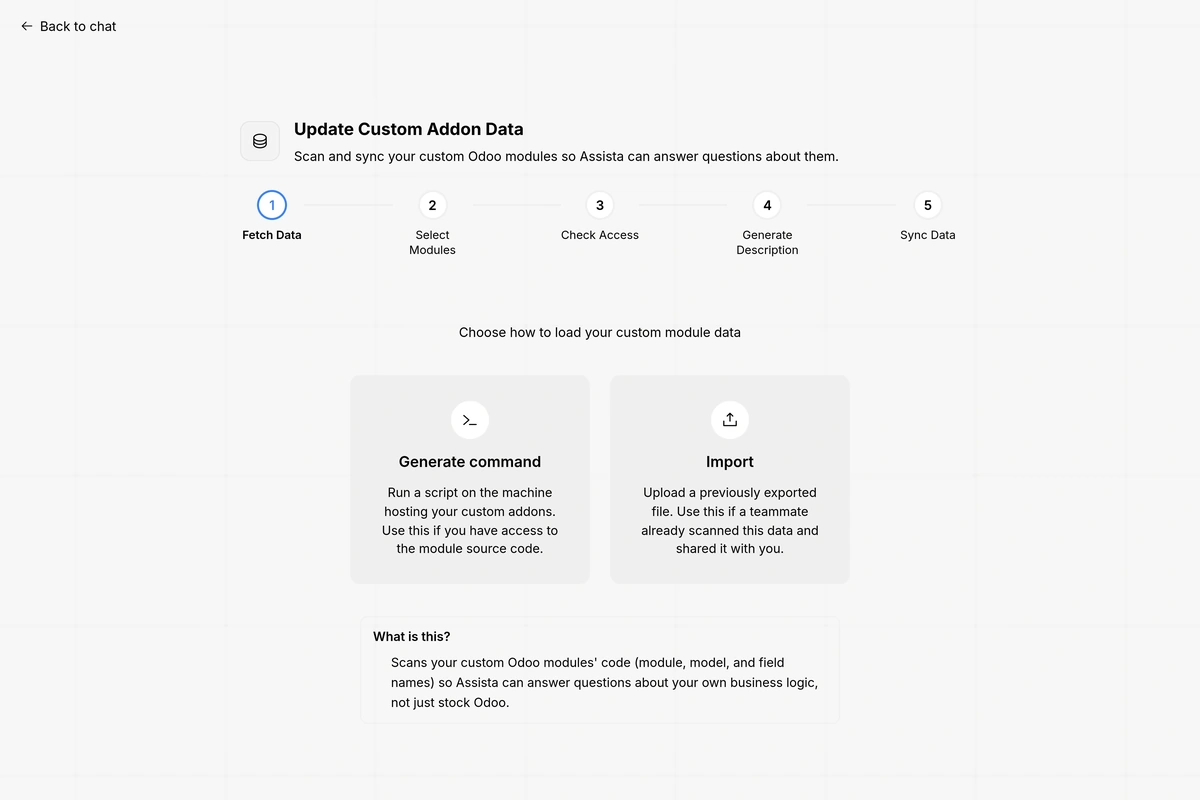
What you can do
- Scan and index your custom modules, so Assista X understands your custom fields and tables.
- Review what the scan found before you rely on it.
- Ask questions about your custom models and fields in the chat.
How it works
You point Assista X at your custom addon source once. Assista X then scans and indexes the modules it finds.
| Step | What happens |
|---|---|
| Scan | Assista X reads your custom addon source with static parsing. It reads the code as text and does not run it |
| Index | It indexes your custom modules, so Assista X understands your custom fields and tables |
| Review | You see what it found and check it |
| Ask | From then on, questions about those modules work like questions about stock Odoo |
Privacy
- Nothing is executed. The source is read by static parsing. No module code is run.
- No business data leaves your machine. The scan reads module source. It does not read business data or records, and none are sent out.
- You stay in control. You review what the scan found.
For how question data is handled once you ask, see Security and privacy.
Tips and limits
- A sync teaches Assista X about the structure of your modules. Your own Odoo permissions still decide which records an answer can include.